
Newsletter image

Subscribe to the Newsletter

Join 10k+ people to get notified about new posts, news and tips.

Do not worry we don't spam!

By pressing the Subscribe button, you confirm that you have read and are agreeing to our Privacy Policy and Terms of Use

Search

GDPR Compliance

We use cookies to ensure you get the best experience on our website. By continuing to use our site, you accept our use of cookies, Privacy Policy, and Terms of Service.

n8n - Automation

Build Your Own AI Generator With n8n and Claude API in 2026

Build your own AI generator with n8n, Ollama, and Claude API in 2026. Complete tutorial with Docker Compose, prompt chaining, and example workflow nodes.

License Sustainable Use
TL;DR
  • End-to-end tutorial: build a blog post AI generator with n8n, Ollama, and Claude Sonnet 4.6 in under an hour.
  • Docker Compose stack spins up n8n plus Ollama in one command. Ollama drafts locally, Claude polishes.
  • Local-first design saves on API spend; swap Claude for Haiku 4.5 to cut cost by 3x.
System Requirements
RAM8GB
GPUAny NVIDIA 8GB for Ollama
VRAM8GB+ for 8B models
✓ Ollama ✓ Apple Silicon

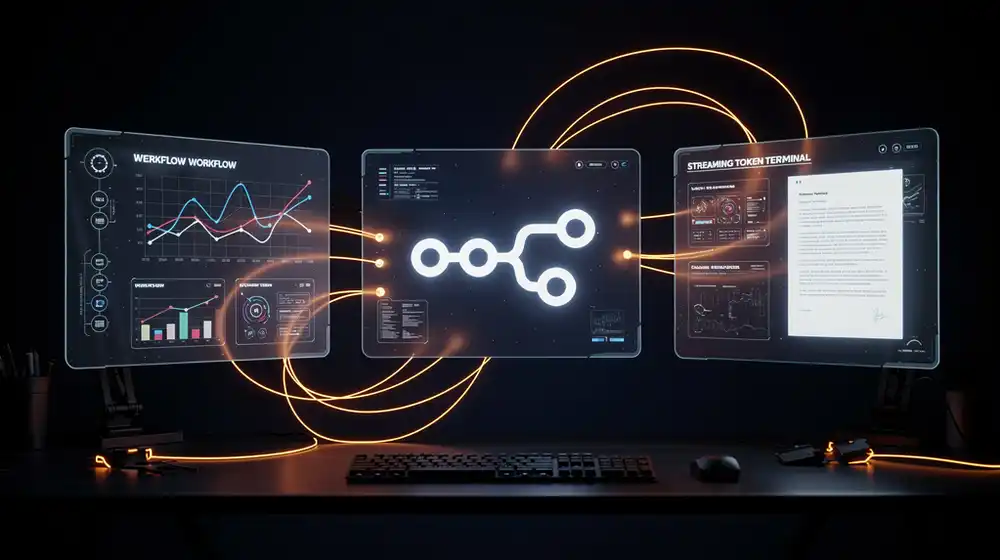
You want an AI generator that takes a topic in, runs it through a local model for a cheap first draft, hands the result to Claude for a polished rewrite, and drops the finished article into a file or a Slack channel. In 2026 you do not need a SaaS tool for this. You need n8n, Ollama, an Anthropic API key, and about an hour. This tutorial walks you through the whole build, from docker compose up to a webhook that returns a finished blog post on demand.

The stack we are building in this guide is the same pattern every indie hacker ends up with once they stop paying for content-generator SaaS products: open-source orchestration, an open-weights model for draft work, and a frontier API only where it earns its cost. No vendor lock-in, no per-article pricing, and every node in the pipeline is a text file you can version in git.

Why Build Your Own AI Generator Instead of Buying One

Most hosted AI generator products charge per article or per word. At scale that math stops working fast. A self-hosted AI generator built on n8n and Ollama runs at the cost of your electricity, plus roughly one to three cents of Anthropic API usage per long-form article when you only send the polish step to Claude.

Beyond price, you own the prompts, the data, and the workflow history. You can version the workflow JSON in git, run it on a homelab box, and swap Ollama models without asking anyone's permission. That is the whole pitch for open-source AI generator pipelines: practical freedom, not ideology.

Prerequisites for This Build

You need four things before we start:

  • Docker and Docker Compose v2. Any Linux box, macOS, or Windows with WSL2 works. The official get.docker.com script installs both in one line.
  • At least 16 GB RAM and 25 GB free disk. 8 GB works for llama3.2:3b, but 16 GB is the sweet spot for qwen3:8b or qwen2.5:7b.
  • An Anthropic API key. Create one at platform.claude.com. Load it with $5 of credit, which is enough for roughly 300 polished blog drafts using Claude Haiku 4.5.
  • A text editor and curl. That is it.

No GPU is required. Ollama runs models on CPU with reasonable speed for draft-quality output, and Claude does the heavy lifting on the polish pass.

Step 1: Spin Up the n8n and Ollama Stack

Create a working directory and drop this file into it as docker-compose.yml. It boots n8n with a SQLite backing store, Ollama on port 11434, and a shared Docker network so the two containers can talk by hostname.

services:
  n8n:
    image: docker.n8n.io/n8nio/n8n:latest
    container_name: n8n
    restart: unless-stopped
    ports:
      - "5678:5678"
    environment:
      - N8N_HOST=localhost
      - N8N_PORT=5678
      - N8N_PROTOCOL=http
      - WEBHOOK_URL=http://localhost:5678/
      - GENERIC_TIMEZONE=Europe/Berlin
      - N8N_SECURE_COOKIE=false
    volumes:
      - n8n_data:/home/node/.n8n
    depends_on:
      - ollama

  ollama:
    image: ollama/ollama:latest
    container_name: ollama
    restart: unless-stopped
    ports:
      - "11434:11434"
    volumes:
      - ollama_data:/root/.ollama

volumes:
  n8n_data:
  ollama_data:

Bring it up:

docker compose up -d
docker compose logs -f n8n

When n8n reports Editor is now accessible via: http://localhost:5678, open that URL and create the owner account. Next, pull a model into Ollama so it has something to generate with:

docker exec -it ollama ollama pull llama3.2:3b

If you have 16 GB of RAM or more, swap in qwen3:8b or qwen2.5:7b for noticeably better drafts. Verify the model answers:

curl http://localhost:11434/api/generate -d '{
  "model": "llama3.2:3b",
  "prompt": "Write one sentence about local LLMs.",
  "stream": false
}'

You should see a JSON response with a response field. That is your local draft engine, ready to go.

Step 2: Add Your Claude Credentials to n8n

In the n8n UI, click Credentials in the left sidebar, then Add credential, and search for Anthropic API. Paste your key from platform.claude.com/settings/keys and save. n8n stores the key encrypted in its SQLite volume, which is why the n8n_data Docker volume matters for persistence.

While you are in Credentials, n8n's Ollama nodes also need a "credential", which is really just the base URL. Add an Ollama API credential and set the base URL to http://ollama:11434. Note the hostname: inside the Docker network, n8n reaches Ollama by the service name, not localhost.

Step 3: Build the AI Generator Workflow

Create a new workflow and add five nodes, in order:

  1. Webhook (trigger). Set HTTP method to POST, path to generate, and response mode to When Last Node Finishes. This is your public entry point.
  2. Set node. Map topic from {{ $json.body.topic }}. This normalizes the incoming payload so the rest of the flow is clean.
  3. Ollama Chat Model (from the LangChain category, formal name n8n-nodes-langchain.lmchatollama). Point it at your Ollama credential, pick llama3.2:3b, and wire it as the model input of a Basic LLM Chain node.
  4. Basic LLM Chain node. Set the prompt to something like:
    Write a 400-word technical blog draft about: {{ $json.topic }}.
    Use short sentences, code examples where useful, and avoid hype.
    Output plain text only.
  5. Anthropic message node. Pick model claude-sonnet-4-6, set the user message to:
    Polish this blog draft. Fix grammar, tighten paragraphs,
    add one practical code block, and return clean HTML
    starting with an H2 tag. No preamble.
    
    Draft:
    {{ $json.text }}

Finally drop a Respond to Webhook node at the end and return {{ $json.content[0].text }}. That field is where the Anthropic node puts Claude's response in the current n8n Anthropic node schema.

Step 4: Test the AI Generator End to End

Click Test workflow in n8n. The Webhook node will show a test URL like http://localhost:5678/webhook-test/generate. Fire a request at it:

curl -X POST http://localhost:5678/webhook-test/generate \
  -H "Content-Type: application/json" \
  -d '{"topic": "Running Qwen 2.5 7B on a mini PC"}'

Expect about 8 to 20 seconds for the local draft and 3 to 5 seconds for Claude's polish pass, depending on your CPU and the draft length. The response body is ready-to-paste HTML. If you get a timeout, raise N8N_DEFAULT_BINARY_DATA_MODE logs and check that Ollama actually finished the first draft.

Once the test succeeds, click Activate in the top-right and n8n will expose the production webhook at http://localhost:5678/webhook/generate. That is your AI content generator, live.

Step 5: Deploy the AI Generator as an Always-On Cron

A webhook is great for manual runs. To generate a post every morning at 07:00 you add a Cron (Schedule Trigger) node before the Set node and feed it a topic from a Google Sheets or Postgres Query node. A minimal scheduled workflow looks like:

Schedule Trigger (07:00 daily)
  -> Read Row (next unused topic from a Sheet)
  -> Ollama Chat Model + Basic LLM Chain
  -> Anthropic (claude-sonnet-4-6)
  -> Write File (/data/posts/{{ $now.toFormat('yyyy-MM-dd') }}.html)
  -> Mark Row as "done"

If you want the generator to post directly to a CMS, replace the Write File step with an HTTP Request node hitting your WordPress or Ghost REST API. n8n has a dedicated WordPress node and a Ghost node if you prefer not to hand-roll the auth.

Cost Math: What This AI Generator Actually Costs to Run

For a 1,500-word polished blog draft, a rough accounting on the Ubuntu mini-PC we target for testing:

  • Electricity: about 0.01 kWh per run on a 25 W CPU box. At $0.30 per kWh that is roughly $0.003.
  • Claude Sonnet 4.6 polish pass: around 2,500 input tokens and 2,000 output tokens. At $3 / MTok in and $15 / MTok out, that is $0.0375 per article.
  • Claude Haiku 4.5 polish pass: same token profile, $1 / MTok in and $5 / MTok out, so $0.0125 per article.

One hundred articles a month on Haiku come in under $1.30 of API spend. The hosted AI generator SaaS tools charge twenty to fifty times that. Source: Anthropic pricing page.

Limitations and Gotchas

A few traps worth knowing before you ship this AI generator in production:

  • Rate limits. Anthropic's free tier throttles hard. Put a Wait node of 1 to 2 seconds between bursts if you batch generate.
  • Hallucinated facts. Neither the local Ollama draft model nor Claude knows anything you did not tell them. For fact-heavy articles, add a web search node (SearXNG or Serper) before the Ollama step.
  • Long context. Ollama's default context window is 2048 tokens. Set num_ctx: 8192 in the Ollama node options if your drafts get truncated.
  • Webhook security. The example above exposes an unauthenticated webhook. For anything public-facing, put Caddy or Traefik in front and require a header token, or use n8n's built-in webhook auth.

Who Should Build Their Own AI Generator

This pattern is the right call when you publish more than a handful of articles a month, you care about owning your prompts, or you want to mix local and frontier models in one pipeline. It is the wrong call if you publish twice a year and a hosted tool costs you less than a coffee. The whole point of building your own AI generator is compounding value over time, not a one-off win.

For bigger pipelines, the next step is to replace the SQLite n8n backing store with Postgres, add Langfuse for tracing every generation, and push the whole thing behind a reverse proxy. We cover those moves in our open-source AI generator pipelines guide.

Sources and Further Reading

Ready to build? Clone the compose file above, run docker compose up -d, paste the five nodes into n8n, and hit the webhook with curl. Your first AI-generated draft should be sitting in the response body less than 30 seconds later.

Prev Article
Install the fal.ai Skill for Claude Code in One Prompt
Next Article
Best Self-Hosted AI Image Generator in 2026

Related to this topic: