Newsletter image

Subscribe to the Newsletter

Join 10k+ people to get notified about new posts, news and tips.

Do not worry we don't spam!

By pressing the Subscribe button, you confirm that you have read and are agreeing to our Privacy Policy and Terms of Use

Search

GDPR Compliance

We use cookies to ensure you get the best experience on our website. By continuing to use our site, you accept our use of cookies, Privacy Policy, and Terms of Service.

StarTrail - Computer Vision, Multi-Modal, Inference

PixelRAG: Visual RAG That Retrieves Screenshots Instead of Parsing Text

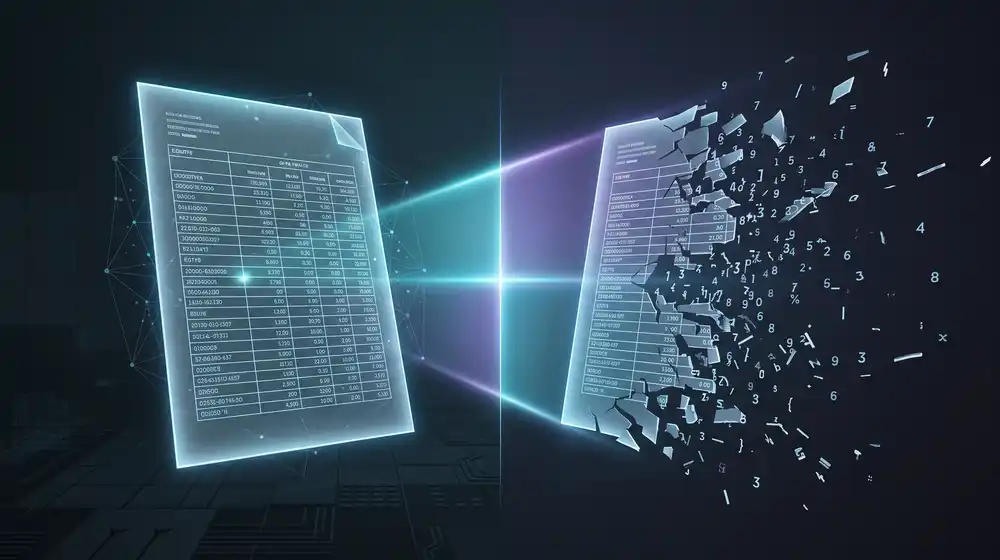
Every text RAG pipeline starts by throwing information away: parse a PDF and the table holding the answer becomes orphaned numbers. PixelRAG retrieves over page images instead. We installed it, rendered a real paper in 7 seconds on a CPU, and ran queries against its hosted Wikipedia index.

License Apache 2.0
License Apache 2.0
TL;DR
  • PixelRAG renders documents to screenshot tiles and retrieves over the images with a LoRA-tuned Qwen3-VL-Embedding-2B, so tables, charts and layout survive retrieval intact.
  • Apache 2.0, v0.4.0 released 2026-07-16. Rendering is CPU-only and fast: a 15-page paper took 7 seconds on our 6-core bench with no GPU.
  • Retrieval returns an image crop, not an answer, so you still need a vision model to read it. Top-1 precision was noisy and the full Wikipedia index is about 217 GB.

Every RAG pipeline you have built starts by throwing away information. You parse a PDF to text, and the table that held the answer becomes a column of orphaned numbers. PixelRAG takes the other road: it renders documents to images and retrieves over the pixels, so tables, charts and layout survive intact. It hit 7,063 GitHub stars since late May, ships under Apache 2.0, and v0.4.0 landed on July 16. We installed it, rendered a real paper, and ran queries against its hosted 8.28-million-page Wikipedia index. Here is what holds up.

TL;DR

  • What it is: a visual RAG pipeline (render, embed, index, search) that screenshots documents and retrieves image tiles using a LoRA-tuned Qwen3-VL-Embedding-2B, instead of parsing text.
  • Why it matters: it runs on a laptop CPU, it is Apache 2.0, and it fixes a failure mode every text pipeline has, where table structure and superscripts are silently corrupted before your model ever sees them.
  • The catch: retrieval returns a picture of a page region, not an answer, so you still need a vision model to read it. Top-1 precision was noisy in our tests, and the full Wikipedia index is about 217 GB.

The problem, shown rather than asserted

We rendered the original Transformer paper, "Attention Is All You Need", and pulled page 8. That page holds Table 2, a two-level header table: BLEU and Training Cost across the top, each split into EN-DE and EN-FR below.

PixelRAG keeps that page as a 1700x2200 pixel image. Every rule line, every column boundary, every empty cell stays where the typesetter put it. Now here is the same page run through PyMuPDF, which is what a conventional pipeline feeds your model:

import pymupdf
doc = pymupdf.open("attention.pdf")
print(doc[7].get_text())

The output flattens to this:

Model
BLEU
Training Cost (FLOPs)
EN-DE
EN-FR
EN-DE
EN-FR
ByteNet [18]
23.75
Deep-Att + PosUnk [39]
39.2
1.0 · 1020
GNMT + RL [38]
24.6
39.92
2.3 · 1019
1.4 · 1020

Three things just broke, and none of them raised an error.

Empty cells vanished. ByteNet has an EN-DE score and no EN-FR score, so the text gives you one number with no way to know which column it came from. Column alignment died with it. Deep-Att shows "39.2" then "1.0 · 1020", and the natural reading is EN-DE BLEU and EN-DE cost. Both are wrong: 39.2 is the EN-FR score, and that cost belongs to EN-FR too. And the superscripts silently corrupted. Look at "1020". In the paper that is 10 to the power of 20. The text extraction turned an exponent into a four-digit number, so the training cost is off by eighteen orders of magnitude, in a string your model will read as fact.

This is the entire argument for pixel-native retrieval, and you can reproduce it in two commands. Text parsing does not fail loudly. It fails into plausible, confidently wrong numbers.

How it works

The pipeline is five stages, each a separate CLI verb, so you can stop after any of them: render, chunk, embed, build-index, serve. Rendering uses a browser engine for URLs and HTML, and Poppler for PDFs, cutting each page into fixed-height tiles. Embedding runs Qwen/Qwen3-VL-Embedding-2B, a 2B vision-language embedding model that the project fine-tuned with LoRA on screenshot data, with the adapters published separately. Indexing writes to FAISS by default, or Qdrant if you point it at a server.

Retrieval returns tile coordinates, not prose. A hit tells you the source document, which tile, and the vertical offset within the page. Handing that crop to a vision model is your job, which is why anthropic ships as a base dependency for the reader step. If you want the reader local instead, any vision model works, including the multimodal open-weights options we covered in the Inkling writeup.

Hands-on: install and render

One gotcha before you start. PyPI marks the package requires_python >=3.12, while the README still says 3.10 or newer. On Python 3.9 the install simply refuses, so start with a modern interpreter:

python3.13 -m venv venv
./venv/bin/pip install pixelrag

# PDF support is NOT in the base install.
# You also need poppler on the system (pdftoppm, pdfinfo).
./venv/bin/pip install 'pixelrag[pdf]'

# Render any mix of URLs and PDFs to tiles
./venv/bin/pixelshot attention.pdf -o ./tiles

Skip that second line and rendering dies with "pdf2image is required for PDF rendering", which then tells you to install pixelrag-render[pdf]. That package name does not resolve. The one that works is pixelrag[pdf], as documented in the README. Minor, but it will cost you a few minutes.

With that sorted, the 15-page paper rendered in 7 seconds on a 6-core CPU with no GPU, producing 15 tiles at 1700x2200 pixels for 6.5 MB total. That is the honest headline for local use: the render stage is cheap and needs no accelerator. Embedding is where a GPU starts to matter, and the project quotes roughly 3 minutes on Apple Silicon or 1 minute on a GPU to index a paper.

Hands-on: querying the hosted index

You do not have to index anything to try retrieval. The project hosts a prebuilt index of 8.28 million Wikipedia pages, open to unauthenticated POSTs:

curl -X POST https://api.pixelrag.ai/search \
  -H "Content-Type: application/json" \
  -d '{"queries": [{"text": "periodic table of elements"}], "n_docs": 3}'

Three queries, three responses, all between 2.18 and 2.36 seconds round trip from Europe. Results below, with the similarity score and the vertical offset of the winning tile:

QueryTop resultScoreTile offset
periodic table of elementsPeriodic_table0.665y=0
population of Germany by year tableYablonovka,_Saratov_Oblast0.612y=1024
population of Germany by year table (2nd hit)Demographics_of_Germany0.612y=5120
GPU architecture comparison chartNvidia_Drive0.608y=4096

Measured 2026-07-22 against the hosted index. Scores are cosine similarity as returned by the API.

The offsets are the interesting part. For the Germany query it returned Demographics_of_Germany at y=5120, which is deep into a long page, exactly where the population tables live rather than the intro paragraph. That is the pitch working: it located a region of a page because that region looks like the answer.

The same query is also the clearest miss. A Russian village, Yablonovka in Saratov Oblast, tied the correct article at 0.612 and sorted above it. Scores across all our queries clustered between 0.53 and 0.67, so there is no clean threshold separating a strong hit from noise. Retrieve several tiles and let the reader model discard the duds. Treat top-1 as a suggestion.

Running it on your own documents

# Full local pipeline
./venv/bin/pip install 'pixelrag[index,serve]'

./venv/bin/pixelrag chunk --tiles-dir ./tiles
./venv/bin/pixelrag embed --shard-dir ./tiles --output-dir ./embeddings
./venv/bin/pixelrag build-index --embeddings-dir ./embeddings --output-dir ./index
./venv/bin/pixelrag serve --index-dir ./index --port 30001

curl -X POST http://localhost:30001/search \
  -H "Content-Type: application/json" \
  -d '{"queries": [{"text": "training cost table"}], "n_docs": 3}'

Or drive it from a config file, which is the cleaner route for a repeatable corpus:

# pixelrag.yaml
source:
  type: local
  path: ./my_docs
embed:
  model: Qwen/Qwen3-VL-Embedding-2B
  device: auto      # cuda on Linux, mps on macOS, cpu fallback
output: ./my_index

Limitations and gotchas

  • Retrieval gives you an image crop, not an answer. Budget for a vision model on the read step, and for the tokens that image will cost you.
  • Top-1 precision was unreliable in our sampling, and similarity scores cluster too tightly to threshold. Pull 3 to 5 tiles per query.
  • The prebuilt Wikipedia index is roughly 217 GB in FAISS format. The hosted API is the sane way to try it.
  • No published accuracy comparison against text-based RAG. The README argues the case by example, as we did above, but there are no benchmark tables yet.
  • Python 3.12 or newer despite what the README says, plus Poppler for PDFs and a Chromium for web pages.
  • Storage and bandwidth are real. Page images are heavy next to text chunks: our 2.2 MB PDF became 6.5 MB of tiles.
  • Qdrant users run their own server; only FAISS works out of the box.

Who should use it

Use PixelRAG if your corpus is documents that were designed to be looked at: financial filings, scientific papers, datasheets, slide decks, anything where a table or a chart carries the answer. The render stage costs nothing on CPU, so you can evaluate it on your own files this afternoon and see whether visual retrieval finds things your text pipeline misses.

Stay with text RAG if your corpus is already clean text like chat logs, code, or Markdown docs, where rendering to pixels adds cost and removes the exact-match precision you get from keyword search. And if you need audited accuracy numbers before adopting anything, wait: this project is under two months old, and the evidence so far is demonstrative rather than measured.

Sources and further reading

Tested on: AMD 6-core x86_64 · 8 GB RAM · no GPU · Linux 6.1 · Python 3.13 · PixelRAG 0.4.0 from PyPI · Poppler 22.12. Render timing measured on that machine; search latency measured against the hosted api.pixelrag.ai index from Europe. Embedding and indexing were not benchmarked locally, since the 2B embedding model wants a GPU we do not have on this bench.
Date tested: 2026-07-22

Prev Article
OpenCode
Next Article
Pinokio Computer

Related to this topic: