TL;DR
- NVIDIA MotionBricks is a 224M-parameter generative motion backbone covering 350,000+ skills at 15,000 FPS and 2 ms latency.
- Smart primitives replace the hand-wired animation state machine: velocity, heading and style for locomotion, proxy keyframes for object interaction.
- Apache 2.0 code and commercially usable weights, but the 700-hour training corpus is proprietary and the open BONES-SEED substitute is gated.
System Requirements
| RAM | CUDA GPU required |
| GPU | RTX 5090 (15k FPS figure) |
| VRAM | ~2.2 GB checkpoints |
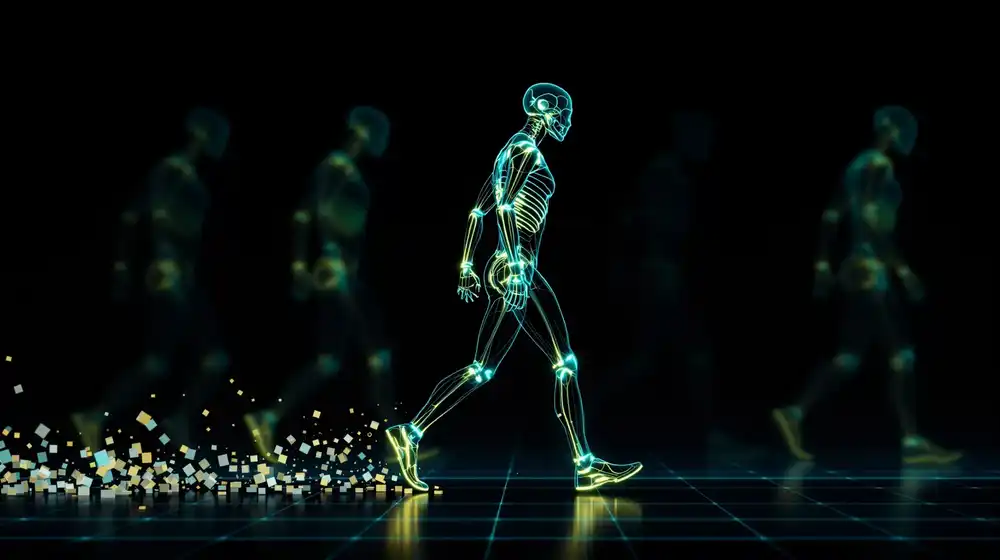
Assassin's Creed ships with over 15,000 hand-authored animation clips. Every one of them is wired into a state machine by hand: this walk blends into that turn, that turn blends into this vault, and if you add a new gait you touch a hundred transitions. NVIDIA Research just published a model that replaces that graph. MotionBricks is a single 224M-parameter neural backbone covering more than 350,000 motion skills, running at 15,000 FPS with 2 ms latency, and it drives a Unitree G1 humanoid from the same weights that drive a game character. The code is Apache 2.0, the checkpoints are downloadable, and there is a licensing catch that nobody is talking about. Here is what shipped, how it works, and what is actually open.
What actually shipped
MotionBricks lives in NVIDIA's GR00T-WholeBodyControl repository, in a motionbricks/ subdirectory. The repo sits at roughly 3.2k stars. The paper was accepted to SIGGRAPH 2026 and published in ACM Transactions on Graphics, with the preprint posted to arXiv on 2026-04-27.
The release is dual-licensed. Source code is Apache 2.0. Pretrained weights fall under the NVIDIA Open Model License, which permits commercial use with attribution, subject to NVIDIA's trustworthy-AI terms. The checkpoints ship through Git LFS rather than Hugging Face, and total about 2.2 GB:
motionbricks_pose, 1.6 GBmotionbricks_root, 391 MBmotionbricks_vqvae, 273 MBG1-clip.ckpt, 7.5 MB
One thing to set expectations on early: this is a preview. The repo says full integration into NVIDIA's GEAR-SONIC pipeline was targeted for roughly one month after the April release. It is August now, and MotionBricks is still labelled preview. You get the interactive demo and the checkpoints; you do not yet get the fully embedded production pipeline.
The problem: animation graphs do not scale
If you have never shipped a character controller, here is the shape of the problem. Traditional real-time animation runs on a state machine, often called an animation graph. Each node is a clip or a blend space. Each edge is a transition with conditions, blend durations, and priority rules. Walking to running is one edge. Walking to running while injured while carrying a crate while on a slope is a combinatorial mess.
The cost is not the clips. Mocap is cheap now. The cost is the wiring, and the wiring grows faster than the content. Adding a zombie gait to a finished game is not one clip, it is every transition into and out of that gait, plus the QA pass to catch the ones you missed. This is why animation teams grow superlinearly with game scope.
Robotics hit the same wall from the opposite direction. A humanoid like the Unitree G1 does not have 15,000 curated clips; it has a controller that is either hand-tuned per behaviour or trained per task with reinforcement learning. Both approaches are per-skill. Neither gives you one policy that walks, crouches, picks something up, and transitions between all three without a human specifying the transitions.
MotionBricks proposes the same fix for both: stop authoring the graph, and learn the whole space of motions in one generative model that you query at runtime.
How it works: tokenizer, root, pose
The system is three modules, and the total is small enough to be surprising. About 224M parameters covers all 350,000 skills. For a site that mostly writes about 100B-class releases, that number is worth sitting with.
1. The motion tokenizer (23.5M params)
Motion is continuous, but the generative backbone works on discrete tokens, so the first job is converting one into the other. MotionBricks uses a VQ-VAE, a vector-quantized autoencoder: it compresses input into a latent space, snaps each latent vector to the nearest entry in a learned codebook of discrete symbols, then reconstructs from those symbols. The codebook entries become your vocabulary, and motion becomes a sequence you can model like text.
The encoder is a 1D convolutional U-Net with 1024 channels and three residual conv layers per level, downsampling at 2x and 4x so that T input frames become T/4 tokens. It encodes joint positions and rotations but deliberately excludes root information. The decoder mirrors it and reinjects the root trajectory through skip connections at every level.
The quantization is multi-head: instead of one codebook per latent, each embedding is split along the feature dimension and quantized separately against K parallel codebooks. That gives you a combinatorial vocabulary from small codebooks, which is how you get 350,000 skills out of something this size.
2. The root module (50M params)
The root is where the character actually goes in world space. It is a transformer, 512 dimensions, 12 heads, 12 layers, and it runs in two steps. First it predicts timing: given the target, how many frames should this motion take? It outputs a distribution over frame counts at 4-frame resolution. Then it predicts the actual root trajectory over 16 learnable frame-slot embeddings, covering up to 64 frames.
Splitting timing from trajectory matters. It is why a reach can take longer when the target is farther away without anyone authoring a speed curve.
3. The pose module (150M params)
The largest module, and the one that does the animation. A transformer at 1024 dimensions, 16 heads, 16 layers, modelling the distribution over pose tokens conditioned on the root trajectory and any keyframe constraints. Training uses masked token modelling with a cosine-scheduled curriculum: you hide a fraction of the tokens and train the model to fill them back in, starting easy and masking progressively harder. It is BERT-style pretraining applied to motion, and it is what makes the model good at in-betweening, since filling gaps is literally the training objective.
Training cost, for reference: 32 H100s across 4 nodes, 2 million updates, batch size 256 per GPU, Adam at 5e-5 decaying to 2e-6. Roughly 7 days for the tokenizer, 3 for the root module, 7 for the pose module.
Smart primitives: the part you actually program against
The architecture is the interesting half. The interface is the useful half. NVIDIA calls the control layer "smart primitives," and it comes in two flavours.
Smart Locomotion is the navigation interface. You give it velocity, heading, and a style, and it produces the gait. Styles include stylized variants like zombie, injured, skipping, and strafing, and you can switch between them continuously at runtime instead of triggering a transition clip. Under the hood the root trajectory gets refined in stages: a critically damped spring model produces a first pass, a neural refinement pass improves it, and the decoder refines it once more. That layering is why the output does not foot-skate when you yank the stick.
Smart Objects is the interaction interface, and it is the one that eats the most authoring time in a traditional pipeline. You place a proxy keyframe describing intent, for example the hand pose at the moment of grabbing a handle, and the backbone fills in the approach, the contact, and the follow-through. You do not author the reach.
Keyframe enforcement has a dial. Setting the tolerance to zero makes the keyframe a hard constraint, so the hand lands exactly there, which is what you want for a door handle or a ladder rung. Setting it above zero makes it soft guidance, so the model gets close but prioritizes natural motion, which is what you want for a gesture. Objects bind through collision tracing for detection, a socket system for placement, and keyframe anchoring, and each behaviour can use a different number of keyframes.
Benchmarks
The paper evaluates against six baselines on its 350k dataset. The headline table:
| Method | FPS | Latency | FID | MMD | Win rate | Jnt jitter | Foot skate |
|---|
| MotionBricks | 15,000 | 2 ms | 1.054 | 0.1056 | 86.5% | 3.38 | 0.003 |
| Cond. in-betweening | 27,000 | 2.4 ms | 1.594 | 0.1093 | 0.8% | 16.88 | 0.018 |
| CondMDI | 1,930 | 33.2 ms | 1.213 | 0.1080 | 15.6% | 16.19 | 0.012 |
| MMM | 3,600 | 18.1 ms | 1.544 | 0.1176 | 19.9% | 5.40 | 0.005 |
| Closd-DiP | 4,200 | 15.3 ms | 1.292 | 0.1076 | 15.1% | 14.03 | 0.015 |
Read the first two rows together, because they are the honest story. Conditional in-betweening is faster: 27,000 FPS against 15,000. It also has a 0.8% human win rate, five times the joint jitter, and six times the foot skate. Speed was never the hard part of this problem. Quality at speed was, and that is where the gap sits.
The metrics, briefly: FID measures distribution distance from real motion, lower is better. MMD is another distributional distance. Joint jitter and foot skate are the two artifacts that make generated animation read as fake, high-frequency limb noise and feet sliding on the ground while planted. Win rate is a human preference study.
The same ordering holds on HumanML3D and LaFAN1-G1, which are public benchmarks, so this is not purely a home-field result. Note the FPS figures are measured on an RTX 5090.
Does it scale? The 350k versus 70k question
The paper trains on four datasets, and the pair that matters is the internal 350k corpus and its 70k subset. The full set is 700 hours, 315k training clips, 36 categories, roughly 9,300 unique skills. The 70k subset is 140 hours and 62k training clips, and exists specifically as a scaling benchmark.
The scaling result is the argument for the whole approach: quality improves with corpus size, which means this is a data problem rather than an architecture problem. Given that the architecture is 224M parameters, the implied roadmap is obvious. Do not scale the model, scale the mocap.
Which raises the question of where you get the mocap.
The dataset catch: what "open" means here
This is the part worth reading carefully before you plan around MotionBricks.
The 350k corpus the shipped checkpoints were trained on is proprietary. It is production-grade mocap from real actors, and it was not released. What was released, on 2026-03-16, is BONES-SEED: 142,220 annotated human motions, roughly 288 hours, in SOMA and Unitree G1 formats, with natural-language descriptions, temporal segmentation, and skeletal metadata. It is a genuinely large and well-annotated dataset.
It is also gated. Access on Hugging Face is restricted, and the terms cover academic use and qualifying startups; anything else goes through licensing@bones.studio. So the practical position for a commercial team is this asymmetry:
- You can ship the pretrained weights in a commercial product, under the NVIDIA Open Model License, with attribution.
- You cannot reproduce those weights, because the corpus behind them is not public.
- You cannot straightforwardly retrain on the open substitute either, because BONES-SEED is gated for commercial use, and it is 288 hours against the 700 the model actually saw.
The training scripts underline the point. They ship and they run, but they default to synthetic data. Real training means bringing your own corpus or clearing a license.
That is a meaningfully different posture from NVIDIA's own Nemotron 3 Ultra, which shipped weights, data, and recipes under a permissive license and can be reproduced end to end. MotionBricks is open-weights and open-code, not open-pipeline. Both are legitimate releases. They are not the same thing, and the difference decides whether you can fine-tune on your own studio's motion library or only consume what NVIDIA trained.
Two audiences, one repo
MotionBricks is aimed at game and animation developers on one side and robotics teams on the other, and the two get quite different value today.
Game and animation developers get the strongest immediate case. The state machine problem is real, the smart primitives map cleanly onto how character controllers already work, and 2 ms latency fits inside a frame budget with room to spare. What you do not get is an engine plugin. There is no Unreal or Unity integration in the box, so shipping this means writing the bridge yourself and validating it against your rig. The retargeting caveat below bites here.
Robotics teams get a G1-specific path: the interactive G1 demo, G1 skeleton meshes, and BONES-SEED's G1 MuJoCo trajectories. The gap is that MotionBricks is kinematic, not physics-simulated. It generates poses, not torques, and it has no awareness of whether a motion is dynamically feasible or within the robot's joint limits. It also assumes ground-truth object poses and terrain geometry, which a real robot does not have. You need a perception stack and a physical feasibility layer between MotionBricks and hardware. That work is not small, and it is exactly what the SONIC side of the repo is for.
If you follow the site's physical-AI coverage, the split is familiar. Cosmos 3 predicts what the world does next; MotionBricks decides how a body moves through it. They sit at different layers of the same stack, and neither one closes the perception gap on its own.
Limitations and gotchas
- Preview status. Full GEAR-SONIC integration was targeted for about a month after the April release and has not landed. Plan around the demo and checkpoints, not the production pipeline.
- Kinematic, not physical. The authors state the model can produce physically implausible motion, including self-collisions and motions exceeding hardware constraints. Nothing in the model prevents this.
- No visual planning. It assumes ground-truth object poses and terrain geometry. Real robots need a vision-driven kinematic planner in front of it.
- Retargeting is unsolved. Adapting motion across different body proportions still trades runtime speed against quality. If your character is not human-proportioned, expect work.
- Dataset coverage. The authors call 350,000 motions "small" with limited coverage of rare motion types. Unusual or highly stylized motion is where it will thin out.
- Linux and X11 only, in practice. The demo uses a keyboard key-grab workaround that conflicts on Wayland, macOS, and Windows.
- Crawling modes lack side-only directions. A small but documented hole in the locomotion coverage.
- NVIDIA GPU required. CUDA only. There is no Apple Silicon or AMD path.
Who should use it, and who should wait
Use it now if you are a technical animator or gameplay engineer who wants to prototype what a graph-free character controller feels like, or a robotics researcher already working with a Unitree G1 who wants a motion prior instead of per-skill policies. Also use it if you are writing a paper: the architecture is small, the code is Apache 2.0, and public benchmarks are supported.
Wait if you need a production engine integration, if you need to retrain on your own motion library and cannot clear a BONES-SEED license, or if you need physically guaranteed output for hardware. And skip it entirely if you are not doing character motion. This is a narrow, deep tool, not a general model.
Run the demo in about 10 minutes
You need a CUDA GPU, Python 3.10 or newer, and Git LFS. Budget 2.2 GB for the checkpoints. These commands are transcribed from the NVLabs README and are not independently tested here.
# Git LFS first, or the checkpoints arrive as pointer files
git lfs install

git clone https://github.com/NVlabs/GR00T-WholeBodyControl.git
cd GR00T-WholeBodyControl

# Pull only what the demo needs (~2.2 GB), not the whole repo's LFS objects
git lfs pull --include="motionbricks/out/**" --exclude=""
git lfs pull --include="motionbricks/assets/skeletons/g1/meshes/**" --exclude=""

cd motionbricks
conda create -n motionbricks python=3.10 -y
conda activate motionbricks
pip install -e .
pip install pynput python-xlib   # Linux only, for the keyboard grab
Then launch the interactive G1 demo. WASD moves, the mouse controls the camera, and V/Z/X/B/R/T/C/E/F/G/Q switch motion styles at runtime. Switching styles mid-stride is the thing to try first, because that transition is exactly what you would otherwise hand-author.
DISPLAY=:1 python scripts/interactive_demo_g1.py
If you want to go past the demo, the training pipeline is three scripts run in order. The tokenizer comes first because both transformers consume its codebook:
# 1. Motion tokenizer (VQ-VAE). Everything downstream needs this.
python scripts/train_vqvae.py

# 2. Pose model, conditioned on the tokenizer's codebook
python scripts/train_pose.py

# 3. Root model (timing plus trajectory)
python scripts/train_root.py

# Note: these default to SYNTHETIC data. Real training needs your own
# corpus or a cleared BONES-SEED license.
Short on GPU? The ten-minute version is the project page, which has video of the style transitions and the smart-object interactions. Watch the stylized gait switching and the object approach fill-in, then read section 4 of the paper on the multi-head quantization. That trick, splitting the latent across parallel codebooks, is the reason a 224M-parameter model covers 350,000 skills, and it generalizes well beyond motion.
Sources and further reading
Tested on: not independently tested. MotionBricks needs a CUDA GPU, which is beyond our bench, and our standing policy is not to install AI tooling locally. All figures are as reported by the paper, the repository, and the project page; the 15,000 FPS and 2 ms latency numbers are NVIDIA-measured on an RTX 5090 with no independent reproduction. MotionBricks was still labelled a preview release at the date below.
Date checked: 2026-08-11